Salesforce has many tools that help different systems work together. One of the most useful tools is Platform Events. They help apps, teams, and systems share information quickly without needing people to do everything by hand. This can save time and help businesses work better every day.
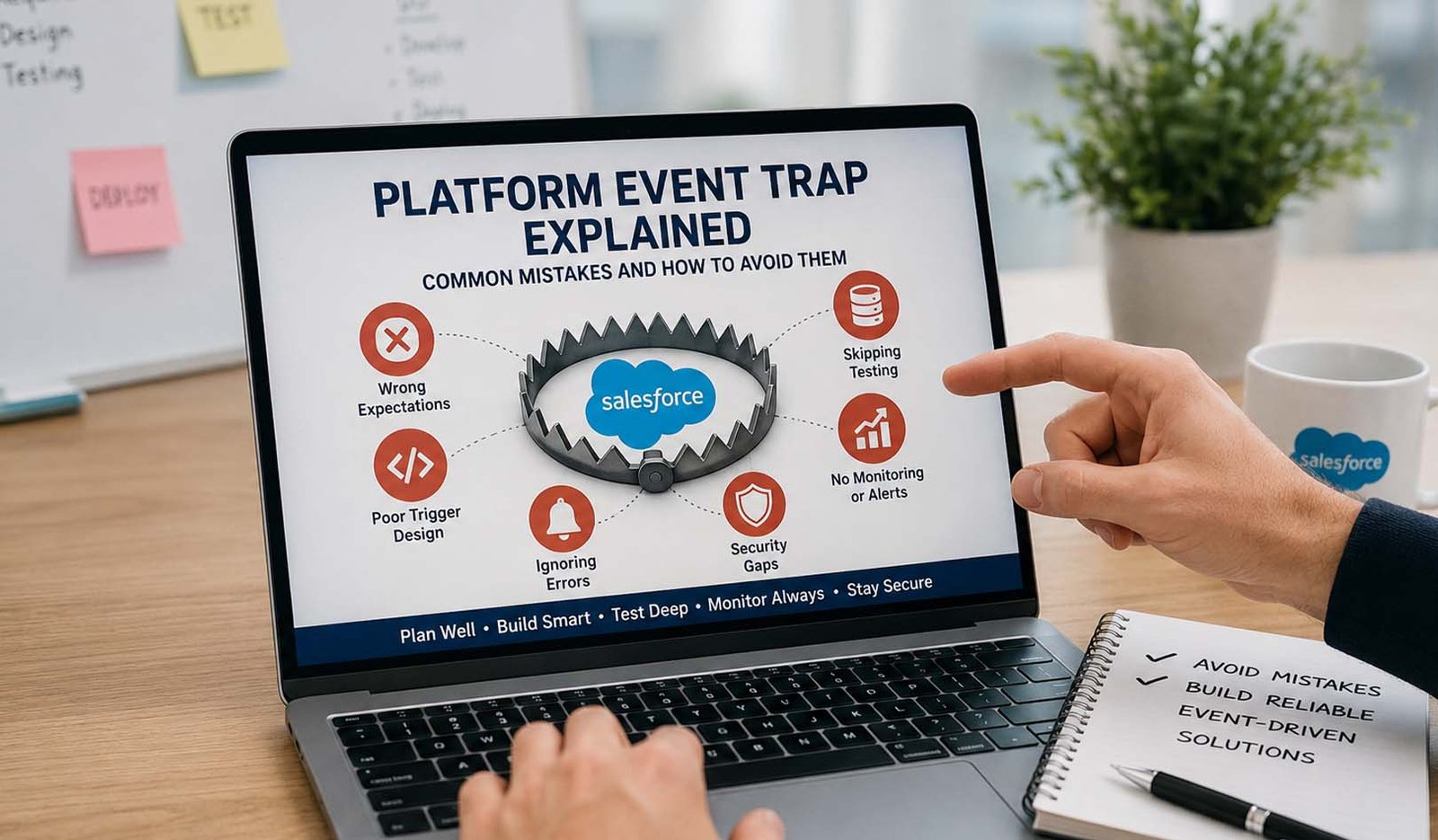
But there is a problem many people run into. It is often called the platform event trap. This happens when developers, admins, or teams use Platform Events without fully understanding how they work. Small mistakes can lead to missed events, wrong data, slow processes, or failed tasks.
The tricky part is that these problems are not always easy to see. A system may seem fine today but start having issues later. This is why many Salesforce teams spend a lot of time learning how Platform Events really work before using them in important projects.
If you have heard about the platform event trap and want a simple explanation, you are in the right place. In this guide, we will look at how Platform Events work, why common mistakes happen, and what you can do to avoid them. Everything will be explained in very easy words.
What Is Platform Event Trap?
The term platform event trap is often used to describe common mistakes people make when working with Salesforce Platform Events. It is not a special feature inside Salesforce. Instead, it is a way of talking about problems that happen when Platform Events are used the wrong way.
Many users think Platform Events work like normal requests. They expect everything to happen right away and in perfect order. When that does not happen, they become confused. This misunderstanding is one of the biggest reasons why the platform event trap happens.
Think about sending a package through the mail. You place it in the system, but it does not reach the other person instantly. Platform Events work in a similar way. An event is sent, and then Salesforce delivers it to the systems that need it. This process takes place in the background.
The platform event trap can affect small businesses and large companies alike. It can cause missed updates, duplicate actions, broken workflows, and reporting problems. Learning about these risks early can save a lot of trouble later.
Understanding the platform event trap is important because Platform Events are now used in many modern Salesforce projects. The more you know about the common problems, the easier it becomes to build reliable systems.
How Salesforce Platform Events Work
Before learning about mistakes, it helps to understand how Platform Events work. Salesforce uses something called an event-driven system. This simply means that actions happen when an event takes place.
Imagine a customer places an order online. That action can create an event. Salesforce can then tell other systems that the order was placed. Those systems can react automatically without someone clicking a button or sending an email.
There are three main parts involved. First, there is the publisher. The publisher creates and sends the event. Second, there is the Event Bus. The Event Bus acts like a delivery service. Third, there are subscribers. Subscribers receive the event and perform actions based on it.
For example, an event may tell a shipping system to prepare an order. The same event could also tell a reporting system to update sales numbers. Multiple systems can react to one event at the same time.
This setup makes Salesforce very flexible. Different systems can work together without being tightly connected. Because of this, many companies use Platform Events to build fast and modern business processes.
Why Platform Event Trap Happens
Many platform event trap problems happen because people expect Platform Events to behave differently than they actually do. They often expect quick and direct results, but Platform Events are designed to work in the background.
A common mistake is assuming every event will arrive immediately. In reality, events move through a process before reaching subscribers. Most of the time this works well, but users need to understand that delays can sometimes happen.
Another reason is poor planning. Teams may build event systems without thinking about future growth. A process that works with one hundred events per day may struggle when it starts handling thousands of events each day.
Testing is another area where problems appear. Some teams only test in sandbox environments. Since sandbox systems usually have less traffic and fewer users, the results may not match what happens in production.
Many companies also forget about monitoring. If nobody checks event activity, small issues can remain hidden for weeks or months. By the time the problem is discovered, it may have already affected important business data.
Mistake 1: Thinking Events Work Instantly
One of the biggest platform event trap mistakes is believing that events work instantly. Many users expect an event to be sent and processed at the exact same moment. That is not how Platform Events are designed.
Platform Events use asynchronous processing. This simply means work happens in the background. An event may be published first and processed shortly after. Usually this happens quickly, but it is not the same as a direct request-and-response process.
Imagine sending a text message. You press send, but the message still needs to travel through the network before reaching the other person. Platform Events follow a similar idea. They move through the Event Bus before reaching subscribers.
Problems begin when developers create systems that depend on immediate responses. If one process expects another process to finish instantly, the workflow may break or behave in unexpected ways.
A better approach is to design systems that expect delays. Good event-driven systems keep track of progress and wait for confirmation when needed. This helps avoid many common platform event trap issues.
Mistake 2: Trusting Event Order Too Much
Another common platform event trap happens when people assume events always arrive in the exact order they were sent. This may sound reasonable, but Salesforce does not fully guarantee perfect ordering in every situation.
For small projects, event order may seem correct most of the time. As systems become larger and handle more traffic, things can become more complicated. Different subscribers may receive events at different times.
Imagine two events being sent. One updates a customer record and another creates a report. If those events arrive in an unexpected order, the report may show incorrect information. This can create confusion for users and teams.
This issue becomes more important when companies use High-Volume Platform Events. Large numbers of events moving through the system can increase the chance of ordering challenges.
To reduce risk, many developers use special checks. They may use event versions, tracking methods, or duplicate protection rules. These steps help systems make better decisions even when events do not arrive exactly as expected.
Mistake 3: Ignoring Replay IDs
Replay IDs are one of the most useful parts of Platform Events, but many users do not fully understand them. Ignoring Replay IDs can create another platform event trap that becomes difficult to fix later.
Every Platform Event receives a Replay ID. You can think of it as a tracking number. It helps systems know which event was received and which event may have been missed.
What happens if a subscriber goes offline for a short time? Without a recovery method, important events could be lost. Replay IDs help solve this problem by allowing systems to find and replay missed events.
Salesforce also keeps Platform Events for a limited time. Standard event retention is usually around 24 hours, while High-Volume Platform Events are generally stored for up to 72 hours. During that period, Replay IDs can help recover missing information.
Companies that depend on important business processes should pay close attention to Replay IDs. They provide an extra layer of protection and help make event systems more reliable.
Mistake 4: Poor Trigger Setup
Triggers play an important role in many Platform Event solutions. They tell Salesforce what actions should happen after an event is received. When triggers are not set up correctly, problems can appear quickly.
Some developers create triggers without fully testing them. Others use conditions that are too broad or too narrow. As a result, events may trigger the wrong action or fail to trigger anything at all.
Imagine creating a trigger that should update customer records. If the logic contains an error, some customers may never receive updates. In larger organizations, this can affect many users and processes.
Another issue is not testing different situations. A trigger may work perfectly with a few records but fail when hundreds of records arrive together. This is why testing should cover many possible scenarios.
Good trigger setup requires planning, testing, and regular reviews. Taking extra time during setup can prevent many platform event trap issues later.
Here is the second half, continuing smoothly from Part 1.
Mistake 5: Forgetting Limits and High Volume
Another common platform event trap is forgetting that Salesforce has limits. These limits are there to keep systems safe and steady. They include things like how much work can run at one time, how many records can be changed, and how much memory can be used.
This matters because Platform Events may handle many actions in the background. If too many events come at once, the system may slow down or fail. A small setup may work well at first, but it may break when the business grows.
High-Volume Platform Events can help when a company needs to process many events. They are made for large event loads. But they still need careful planning. More volume does not mean you can ignore good design.
A smart team should use batching and chunking. This means breaking big work into smaller parts. It makes the system easier to handle and lowers the chance of errors.
The best way to avoid this platform event trap is to plan for growth early. Ask simple questions before going live. How many events will run each day? What happens if traffic doubles? What happens if one system is slow?
Mistake 6: Weak Security Settings
Security is a big part of Salesforce work. A platform event trap can happen when teams forget to check user access, field access, and system permissions. If the wrong person has access, data may not stay safe.
Sometimes events fail because a user or system does not have the right permission. The event may be published, but the subscriber may not be able to read or update the needed data. This can create quiet failures that are hard to notice.
Field-level security is also important. Some users may not be allowed to see or change certain fields. If a Platform Event tries to work with those fields without proper access, the process may fail.
Named Credentials also matter when Salesforce connects with outside systems. If they are not set up well, outside calls may fail. This can break an event flow even when the event itself is correct.
To avoid this issue, teams should check roles, permissions, field access, and connection settings often. Security should not be checked only once. It should be part of the full event plan.
Mistake 7: No Monitoring or Error Checks
One of the most dangerous parts of the platform event trap is silent failure. This means something goes wrong, but nobody sees it right away. The system may look fine on the outside, while events are failing in the background.
This can happen when there are no logs, alerts, or dashboards. If no one is watching event activity, missed events can stay hidden for a long time. Later, the team may find wrong records, missing updates, or broken reports.
Monitoring helps teams see what is happening. It can show failed events, slow processing, stuck queues, and replay problems. These signs help developers fix issues before they become bigger.
Debugging is also helpful. It allows teams to test why an event did not work. Maybe a trigger failed. Maybe a permission was missing. Maybe an outside system did not answer.
A good Platform Event setup should always include alerts. If something fails, the right team should know quickly. This keeps the event system clean, safe, and easy to trust.
How to Avoid Platform Event Trap
The best way to avoid the platform event trap is to build with care from the start. Do not treat Platform Events like normal instant requests. They are made for background work, so your design should match that style.
One helpful method is idempotency. This means the system can receive the same event more than once without causing damage. For example, if a payment event comes twice, the system should not create two payments.
Retry logic is also very useful. If an event fails, the system should try again in a safe way. Some teams also use dead-letter queues. These queues hold failed events so developers can review and fix them later.
Testing should be close to real life. Do not only test with a few sample records. Test with more users, more events, and more cases. This helps reveal problems before real customers are affected.
It is also smart to keep systems separate. Each subscriber should do its own job. This makes the full setup easier to manage. If one part has a problem, it should not break everything else.
When Not to Use Platform Events
Platform Events are useful, but they are not perfect for every job. This is important to understand. Using the wrong tool can create another platform event trap, even when your setup looks clean.
Platform Events may not be best for real-time screen updates. If a user needs an instant answer on the page, a normal request may work better. Platform Events can have small delays because they run in the background.
They are also not ideal for large payloads. A payload means the data carried inside the event. If too much data is packed into one event, it can slow things down and make processing harder.
Platform Events may also not be the best choice for strict step-by-step tasks. If one step must finish before the next step starts, a more direct process may be safer.
Good alternatives include Change Data Capture, Apex REST, outbound messages, Flow Orchestration, and MuleSoft. Each tool has its own use. The best choice depends on what the business needs.
Platform Event Trap in IPMI Systems
The term Platform Event Trap can also mean something else outside Salesforce. In hardware and server systems, Platform Event Trap is often linked with IPMI. IPMI stands for Intelligent Platform Management Interface.
In this case, a Platform Event Trap is an alert. It tells an IT team that something is wrong with a server or machine. For example, it may warn about fan failure, high temperature, power issues, or hardware trouble.
This is different from Salesforce Platform Events. Salesforce uses events to help apps and systems share business data. IPMI Platform Event Traps are mostly about hardware alerts and server health.
Still, both ideas have one thing in common. They are both event-based. Something happens, and the system sends a signal. That signal helps another person, app, or system take action.
For a helpful article, it is good to explain both meanings. This helps readers avoid confusion. Some people search for Salesforce help, while others may search for hardware alerts.
Checklist to Avoid Platform Event Trap
Before using Platform Events, ask simple questions. What will publish the event? Who will receive it? What should happen if the event fails? What should happen if the same event arrives twice?
Make sure triggers are tested well. Check them with small data and larger data. Also test what happens when records are missing, permissions are weak, or outside systems are slow.
Use Replay IDs wisely. They help recover missed events within the allowed time. This is very important when a system goes offline or a subscriber fails for a short time.
Watch your event system with logs, dashboards, and alerts. Do not wait for users to report problems. A strong monitoring plan can save time, money, and stress.
Also review security often. Check user roles, field access, Named Credentials, and outside system access. A reliable event system should also be a safe event system.
Final Thoughts
Platform Events are very helpful when they are used in the right way. They help Salesforce systems talk to each other, share updates, and run actions in the background. This makes business work faster and smoother.
But the platform event trap can create serious problems if teams are not careful. Events may arrive late, arrive twice, fail quietly, or come in a different order. These issues can hurt workflows and data quality.
The good news is that most problems can be avoided. Strong planning, safe trigger setup, good testing, retry logic, Replay IDs, and monitoring can make Platform Events much more reliable.
In 2026, Salesforce teams need clean and safe event design more than ever. Businesses depend on fast data, smooth systems, and trusted automation. A good Platform Event setup can help with all of that.
So, the main lesson is simple. Do not fear Platform Events. Just understand them before using them. When you know how the platform event trap works, you can avoid the mistakes and build stronger Salesforce systems.
(FAQs)
What is platform event trap in simple words?
Platform event trap means the common problems that happen when Salesforce Platform Events are used in the wrong way. These problems can include missed events, wrong order, duplicate work, weak security, and hidden failures.
Is platform event trap a Salesforce feature?
No, platform event trap is not a special Salesforce feature. It is a term people use to describe mistakes and risks linked with Platform Events. It helps explain the hidden problems that can break event-based systems.
Why do Platform Events fail in production?
Platform Events may fail in production because real systems have more users, more data, and more traffic. Sandbox testing may not show these problems. Permission issues, limits, slow systems, and weak error handling can also cause failures.
Can Salesforce Platform Events be delivered more than once?
Yes, duplicate events can happen in some cases. This is why developers should use idempotency. In simple words, the system should be smart enough to avoid doing the same work twice.
Does Salesforce always keep Platform Events in order?
No, strict order is not always guaranteed in every case. Events may arrive in a different order, especially in large systems. Developers should use checks, versions, and state tracking to handle this safely.
Can I query Platform Events like normal records?
Platform Events are not made to work like normal stored records. They are made for streaming and event delivery. If you need long-term history or reporting, Change Data Capture or normal records may be better.
What is the best way to avoid platform event trap?
The best way is to plan well. Use good trigger logic, retry methods, Replay IDs, monitoring, security checks, and real testing. Also make sure Platform Events are the right tool for your use case.
Don’t miss these:
Kinervus in 2026: Why More People Are Turning to It
What Is MTO News? The Real Truth About This Popular Gossip Website





 Biography7 months ago
 News6 months ago
 Blog3 months ago
 Biography7 months ago