NZBGeek is a well-known name for people who use Usenet tools. Many users talk about it because it helps them find NZB files in a simple way. It is often seen as easy, fast, and community-driven in 2026.
In today’s article, we will explore NZBGeek in a very simple way. We will look at how it works, what it offers, and why so many people use it. We will also talk about its free and paid options and if it is really worth it.
Many beginners feel confused when they first hear about NZB indexers. This guide will make everything clear step by step. You will understand NZBGeek in very easy words without any confusion or hard terms.
We will also explain its main features like search, updates, and community support. By the end of the article, you will clearly know if NZBGeek is useful for your needs or not.
What NZBGeek Is
NZBGeek is a simple tool that helps people search for NZB files. It is not a file storage website. Instead, it works like a search helper that points users to content available on Usenet.
Many users like NZBGeek because it is made for both beginners and advanced users. It is built in a way that anyone can use it without deep technical knowledge. This makes it very popular in the Usenet world.
It is also known for being community-driven. This means real users help keep the system updated. Because of this, the platform stays active and useful for everyone.
In simple words, NZBGeek is like a big search library for Usenet content. It organizes files so users can find what they are looking for in a faster and easier way.
How NZBGeek Works
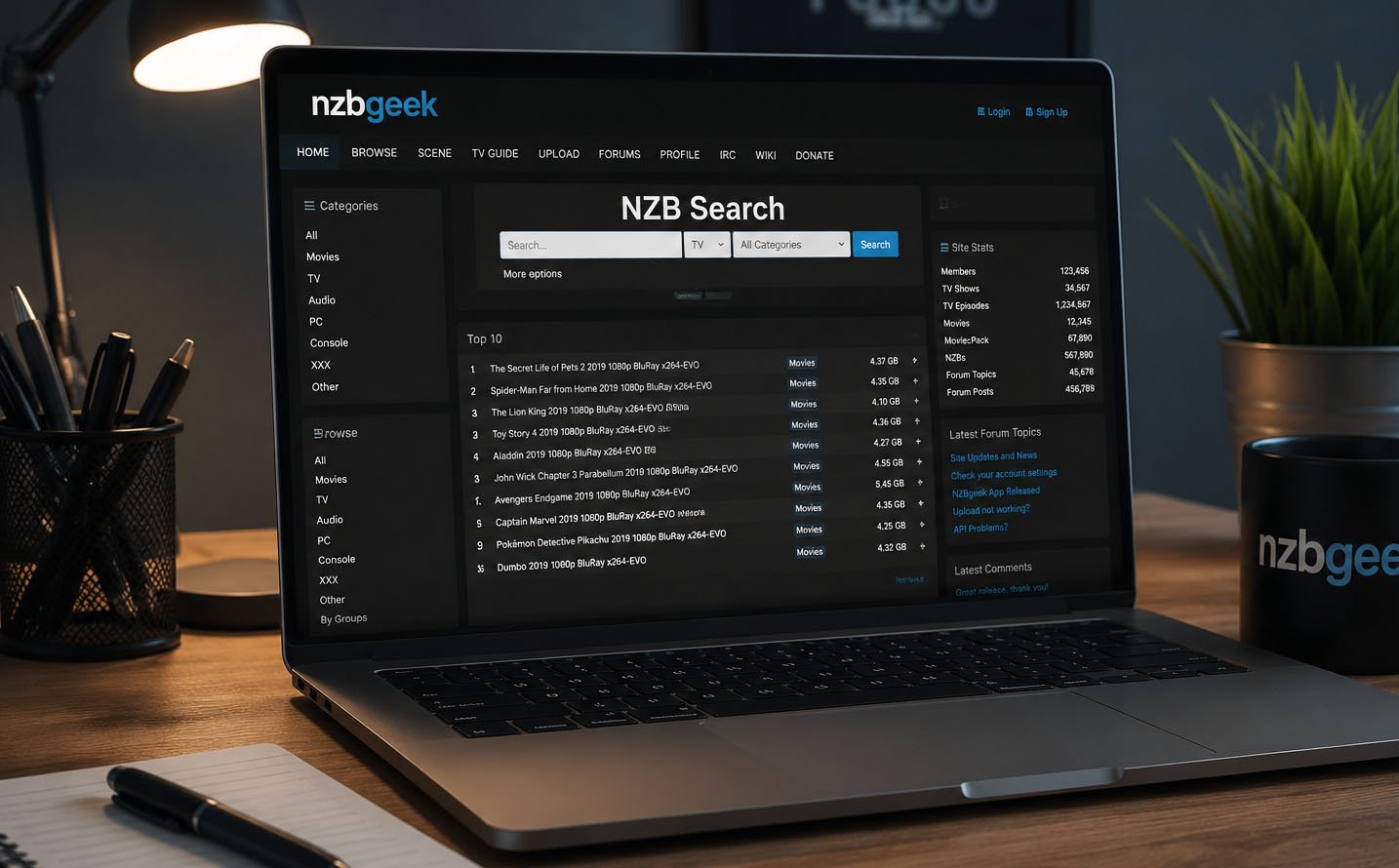
NZBGeek works by collecting and organizing NZB file links in one place. When a user types something in the search box, it shows results from its large database. This saves a lot of time for users.
The system does not store files itself. It only helps users find the right NZB file. After that, users need a separate Usenet provider to download the actual content.
Search is very simple. You just type what you want, like a movie name or software name. Then NZBGeek shows matching results in seconds, making the process very smooth.
It also has filters to help users. You can narrow results by category, size, or age. This makes it easier to find the exact file you want without wasting time.
Community System of NZBGeek
One of the strongest parts of NZBGeek is its community. Real users help update and maintain the system. This keeps the content fresh and useful for everyone.
Unlike fully automated systems, NZBGeek depends on user activity. This helps improve quality because users can report or add useful updates. It creates a more active and helpful environment.
The community also helps new users. People share tips and guide others on how to use the platform. This makes it friendly for beginners who are just starting.
Because of this strong community, NZBGeek feels more reliable. Users trust it more because it is not fully automatic and has real human support behind it.
Huge NZB Database
NZBGeek has a very large database with more than 500,000 NZB entries. This makes it one of the bigger platforms in its category. A large database means more chances to find what you need.
The content covers many types of files. Users can find movies, TV shows, software, and more. This variety makes it useful for many different needs.
A big database also improves search results. When there are more entries, users get better matching results. This reduces the chance of not finding what they are looking for.
Because of this large collection, NZBGeek is often seen as a powerful tool. It gives users more options compared to smaller indexers.
Fast Updates and Fresh Content
NZBGeek updates its system very often. In fact, it refreshes content roughly every few minutes. This keeps everything fresh and active.
Fast updates are important because new content appears all the time. If a system is slow, users may miss new files. NZBGeek solves this problem by updating quickly.
These updates also improve search accuracy. When data is fresh, search results become more reliable and useful. Users can trust that they are seeing current information.
This fast update system is one reason why many people prefer NZBGeek over other tools. It keeps everything running smoothly and efficiently.
Free Plan Features in NZBGeek
NZBGeek offers a free plan for new users. This plan is useful for people who want to try the platform before paying anything. It gives a basic idea of how the system works.
Free users can still search and explore the platform. However, there are limits on how much they can use it. For example, downloads and searches are restricted.
This plan is good for beginners. If someone is new and just wants to test NZBGeek, the free option is enough to understand the basics.
But heavy users may feel limited with the free plan. That is why many users later move to paid membership for better features and freedom.
Paid Membership (VIG Plan) Explained
The paid plan of NZBGeek is often called the VIG membership. This plan is made for users who want full access without limits. It removes many restrictions that are found in the free plan and gives a smoother experience.
The VIG plan is designed for people who use NZBGeek often. It gives faster search results and more power in the system. This means users can find what they need in less time and with fewer limits.
Many users choose this plan because it saves time. Instead of waiting or facing limits, they can search freely. This makes it more useful for heavy users.
It also gives extra features like better search control and more API access. These small improvements make a big difference for regular users.
Free vs Paid Plan Comparison
The free plan and paid plan are very different in NZBGeek. The free plan is simple and limited, while the paid plan gives full access. This is important when deciding which one to use.
Free users can only use a small number of searches and downloads. This is fine for testing or light use. But it can feel limited for people who use it often.
Paid users get unlimited access, faster speed, and more tools. This makes searching easier and more flexible. It is better for daily or frequent use.
In simple words, free plan is for beginners. Paid plan is for serious users who need full power and no limits.
Search Tools and Easy Filters
NZBGeek has a simple search system that helps users find files quickly. Users can type keywords like movie names or software names. The system then shows matching results in seconds.
There are also filters to make searching easier. Users can filter results by category, file size, and age. This helps narrow down results and saves time.
These tools are very helpful for beginners. Even someone new can find what they need without confusion. The system is made to be simple and fast.
Search tools are one of the main reasons people like NZBGeek. It makes the whole process smooth and easy to understand.
Tool Integration with Other Apps
One strong feature of NZBGeek is that it works with popular tools. It connects with apps like Sonarr, Radarr, and CouchPotato.
These tools help users manage downloads automatically. Instead of searching manually, the system can do it for them. This saves time and effort.
This feature is very useful for people who download often. It makes the process faster and more organized.
Integration also improves user experience. Everything works together in a smooth and simple way.
Pros and Cons of NZBGeek
NZBGeek has many good points that make it popular. It is easy to use, fast, and supported by a strong community. These things make it reliable for many users.
One big advantage is its active updates. The system is always improving and adding new content. This keeps everything fresh and useful.
But there are also some limits. The free plan is restricted and may not be enough for heavy users. This can be a downside for beginners who want full access.
Still, the paid plan balances this problem by offering full features. This makes the platform useful for both light and heavy users.
Safety and Privacy
NZBGeek uses secure systems to protect users. It includes SSL or TLS encryption. This helps keep user activity private and safe.
This security means searches are protected from outside access. Users can feel safer while using the platform. Privacy is an important part of the system.
Even though it is secure, users still need a Usenet provider to download files. NZBGeek only helps with searching and indexing.
Overall, the platform focuses on keeping user data safe while providing easy access to content.
How to Start Using NZBGeek
Getting started with NZBGeek is simple. First, users need to create an account on the website. They just enter basic details like email and password.
After registration, users confirm their email. Then they can log in and access the dashboard. The system is simple and easy to understand.
Once inside, users can start searching right away. They can type keywords and explore results. It works fast and does not need complex setup.
This makes it beginner-friendly. Even first-time users can start quickly without confusion.
Final Thoughts
NZBGeek is a strong and simple NZB indexer in 2026. It is made for users who want fast and easy access to NZB search results. The system is built in a way that supports both beginners and advanced users.
The free plan is good for testing, but it has limits. The paid plan offers full access, faster speed, and better features. This makes it more useful for people who use it often.
Its strong community, large database, and simple design make it stand out. It is easy to use and works well with other tools.
In the end, NZBGeek is a good choice for users who want a reliable and simple NZB indexer.
(FAQs)
Is NZBGeek free to use?
Yes, NZBGeek offers a free plan. However, it is limited and mainly meant for testing the platform before upgrading.
Is NZBGeek safe to use?
Yes, it is generally safe. NZBGeek uses encryption to help protect user activity and keep searches private and secure.
Can NZBGeek work without Usenet?
No. You must have a separate Usenet provider to download files. NZBGeek only helps you search and index content.
How much does NZBGeek cost?
Paid plans are affordable and come in monthly, yearly, and lifetime options. These plans unlock full access and unlimited use.
Does NZBGeek work with other tools?
Yes. It integrates with tools like Sonarr and Radarr, which help automate downloads and make the process easier.
Is NZBGeek worth it?
For heavy users, yes—it is very useful and time-saving. For casual users, the free plan may be enough to get started.
Don’t miss these:
Tech Giants Envision Future Beyond Smartphones
AnonVault Guide: Safe, Private, and Anonymous Data Storage Explained





 Biography7 months ago
 News6 months ago
 Blog3 months ago
 Biography7 months ago