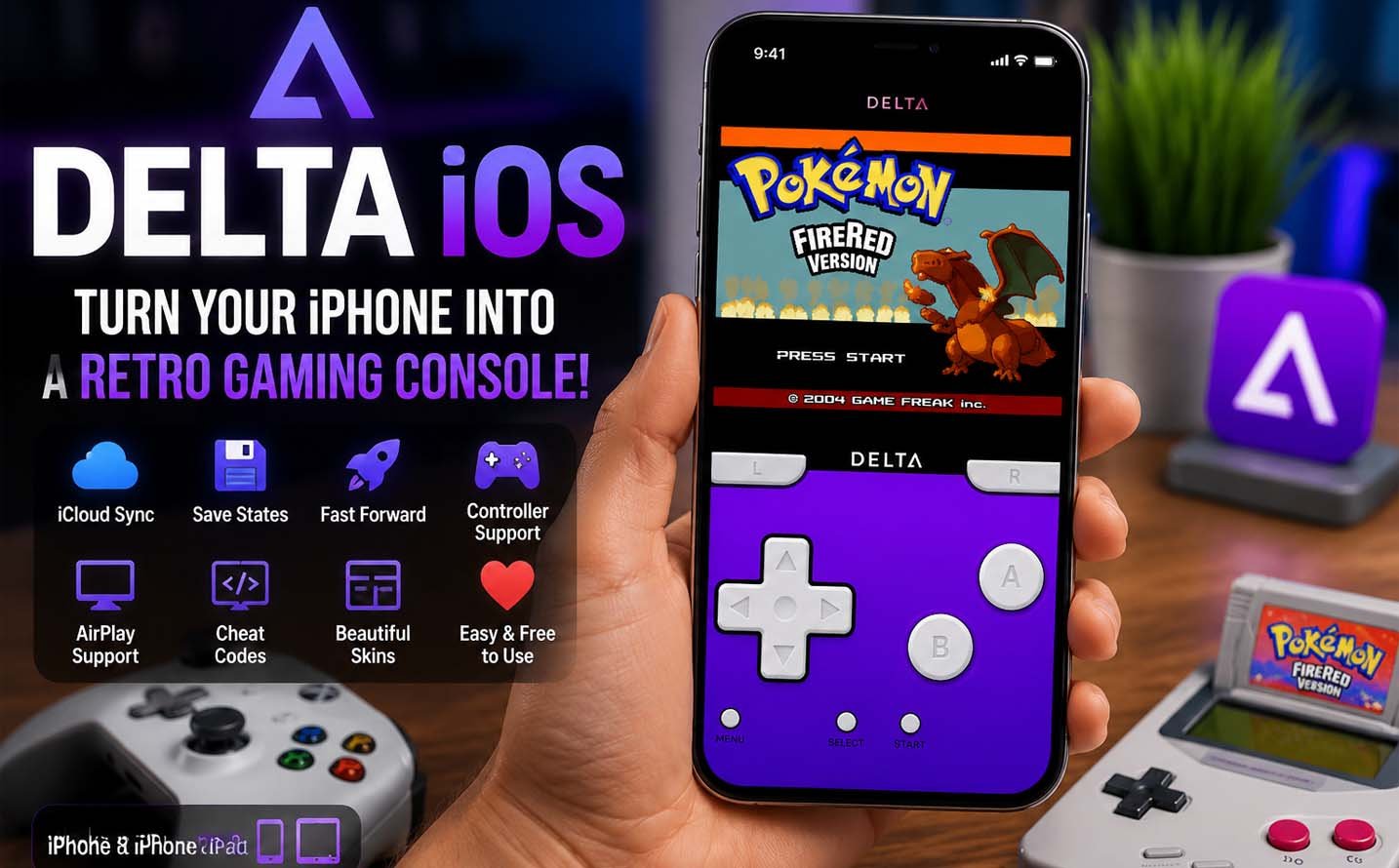
Delta iOS is a simple app that turns your iPhone into a retro game system. With this app, you can enjoy old Nintendo games in a very easy way. Many people love delta ios because it brings childhood games back in a smooth and fun experience.
In today’s world, people want easy gaming without extra tools. Delta iOS makes this possible by letting users play games like Pokémon, Mario, and Zelda directly on iPhone. It works without jailbreaking, so anyone can use it safely and quickly.
This article will help you understand everything about delta io. You will learn what it is, how it works, how to install it, and what features it offers. Everything is explained in an easy and clear way for beginners.
We will also talk about safety, supported devices, and why delta ios is so popular in 2026. By the end of this guide, you will clearly understand how to turn your iPhone into a retro gaming console without any confusion.
What is Delta iOS Emulator?
Delta iOS is an emulator app made for Apple devices. It allows users to play old Nintendo games on iPhone and iPad. This means you can enjoy classic games without needing original gaming consoles. The delta ios app is simple and user friendly.
It was created by Riley Testut and is open-source software. That means it is built with transparent code and can be improved over time. Many users trust delta ios because it is designed for smooth performance and easy use on modern iPhones.
This emulator supports many game systems like Game Boy, Game Boy Advance, Nintendo DS, SNES, and Nintendo 64. Because of this, delta ios becomes a full retro gaming solution for people who love old games and want them in one place.
The best part is that delta ios works without jailbreak. Users do not need to change their phone system. They can simply install the app and start playing. This makes it safe and beginner friendly for everyone.
Why Delta iOS is So Popular
Delta iOS is popular because it is very easy to use. Many gaming apps need complex steps, but delta ios removes all that stress. Even beginners can install it and start playing games within minutes without technical knowledge.
Another reason is its smooth gaming experience. The app runs old games very well on modern devices. Players enjoy fast loading, simple controls, and stable performance. This makes delta ios a strong choice for retro gaming lovers.
People also like delta ios because it is free and open-source. There are no hidden payments or subscriptions. Users can enjoy full features without spending money, which makes it very attractive for students and casual gamers.
The app also supports modern features like save states and controller support. These features make gaming more comfortable and flexible. Because of all these reasons, delta ios has become a top choice for retro gaming on iPhone.
Delta iOS Supported Devices
Delta iOS works on many Apple devices, which makes it easy for most users to enjoy. It supports iPhone 6s and newer models. This means even older phones can run the app without major issues or problems during gameplay.
For iPads, delta ios works on iPad Air 2 and newer versions. The bigger screen makes gaming more enjoyable and clear. Many users prefer iPad because it gives a better view and smoother control experience during gameplay sessions.
The app requires iOS 14 or higher to work properly. Newer systems help delta ios run smoothly and support advanced features. Older systems may not support all features or may face small performance issues during heavy games.
Performance also depends on device strength. Newer iPhones and iPads handle games like Nintendo DS very well. Older devices may lag in heavy games but still work fine for simpler games like Game Boy and SNES titles.
How to Install Delta iOS
Installing delta ios is very easy and does not need advanced skills. The first method is through the App Store. This is the safest and most recommended way for beginners who want a quick and simple setup process on their device.
To install it from the App Store, you just need to search for Delta Emulator. After that, tap the install button and wait for download. Once installed, open the app and allow permissions. Now delta ios is ready to use on your iPhone.
This method does not require a computer or extra tools. Everything happens directly on your phone. It is the most trusted way because it gives you the official version of delta ios without any changes or risks from outside sources.
The second method is using AltStore. This is used when the app is not available in your region. You need a computer to install AltStore first, then install delta ios using an IPA file. It requires refreshing every seven days to keep working.
Both methods are useful, but the App Store method is best for most users. It is faster, easier, and safer. AltStore is only for users who want advanced control or cannot access delta ios directly from the App Store.
How to Add Games (ROMs) in Delta iOS
After installing delta ios, the next step is adding games. These games are called ROM files. They are the actual game files that run inside the emulator. Without ROMs, delta ios cannot play any games, so this step is very important for users.
You can add ROMs using cloud storage like iCloud Drive or Google Drive. First, save your game file there from your phone. Then open delta ios and tap the plus button. Choose your file, and it will be added to your game library instantly.
Once added, your games appear in the main screen of delta ios. You can tap any game and start playing right away. Many users enjoy Pokémon and Mario games the most because they run very smoothly and feel just like old consoles.
It is very important to use only legal game files. Delta ios itself is legal, but downloading games you do not own may cause issues. The safest way is to use games you already have from original cartridges or discs.
Best Features of Delta iOS Emulator
Delta ios comes with many helpful features that make gaming more fun. One of the best features is save states. This allows you to save your game at any moment, not just at normal save points. It makes gaming much easier and flexible.
Another useful feature is fast forward mode. This lets you speed up the game when needed. It is great for long parts of games where you want to move quickly. However, using too much speed may reduce sound quality on some devices.
Delta ios also supports cheat codes. These codes let you unlock special game features. Many old gamers enjoy using these cheats because they bring back classic gaming memories and make the experience more fun and exciting.
The app also supports iCloud sync and AirPlay. iCloud keeps your saved games safe across devices. AirPlay lets you play games on a bigger screen like a TV. These features make delta ios more powerful than simple gaming apps.
Controller Support in Delta iOS
Delta ios works very well with external controllers. This makes the gaming experience feel like a real console. You are not limited to touch controls, which many users find more comfortable and accurate for gameplay.
You can connect Xbox controllers, PlayStation controllers, and Nintendo Switch Pro controllers. These controllers connect easily using Bluetooth. Once connected, delta ios automatically maps buttons so you can start playing without extra setup.
Using a controller makes gameplay smoother and more enjoyable. Action games like Mario or Zelda feel much better with physical buttons. Many users prefer this setup because it feels like using a real gaming console.
Delta ios also supports MFi controllers made for Apple devices. This gives users even more options. No matter which controller you use, the app adjusts quickly and gives a natural gaming experience.
Best Settings for Smooth Performance
To get the best experience in delta ios, using the right settings is important. One good setting is fast forward speed at 2x or 3x. This keeps games smooth without causing sound problems or lag during gameplay.
You should also turn on iCloud sync. This keeps your saved games safe and helps you continue on another device. Many users lose progress without this setting, so it is very important to enable it early.
Controller opacity and haptic feedback settings also improve experience. Lower opacity makes controls less distracting, and haptic feedback adds small vibration effects that make gameplay feel more real and engaging for users.
If you play heavy games like Nintendo 64 or DS, lowering graphics settings can help. Older phones may lag, but adjusting settings in delta ios can make gameplay much smoother and more stable overall.
How Delta iOS Works on iPad
Delta ios works even better on iPad because of the larger screen. Games look clearer and controls feel easier to use. Many users prefer iPad because it gives a more comfortable and enjoyable gaming experience overall.
The app layout on iPad is also improved. You can see your game library on the side while playing. This makes it easy to switch games or manage files without leaving the current game screen.
Split view is another helpful feature on iPad. You can open a guide or video while playing your game. This is useful for players who want help during difficult parts of games or want to learn new tricks.
When combined with a controller, iPad becomes a very strong gaming device. Delta ios turns it into something close to a portable console, making retro gaming feel modern and smooth at the same time.
Safety and Legal Use of Delta iOS
Delta ios itself is safe and legal to use. It is an open-source emulator, which means it is trusted and does not harm your device. Many users around the world use it without any problems or security issues.
However, the important part is game files. ROMs must be used carefully. Downloading games you do not own may break copyright rules. This is why users are advised to only use games they already own physically.
It is also important to avoid fake delta ios apps. Some websites may offer modified versions that are unsafe. These can harm your device or steal data, so always download from trusted sources like the App Store.
The official delta ios version does not ask for keys or payments. If any site asks for extra steps like keys or logins, it is most likely fake and should be avoided immediately for safety reasons.
Delta iOS vs Other Emulators
Delta ios is mainly designed for Nintendo games, and it does this job very well. It is simple, fast, and easy for beginners. Many users choose it because it gives a clean and smooth experience without confusion.
Other emulators like RetroArch are more advanced but also harder to use. They support many systems but need more setup. Provenance supports different consoles but is less simple compared to delta ios.
PPSSPP is focused only on PSP games, while Dolphin is used for GameCube and Wii games. These apps are powerful but often need stronger devices and more technical knowledge to use properly.
Because of its simplicity, delta ios is the best choice for most beginners. It focuses on Nintendo games and gives a balanced mix of performance, design, and ease of use.
Final Thoughts
Delta ios is one of the easiest ways to enjoy retro gaming on iPhone and iPad. It brings classic Nintendo games back in a modern and simple way that anyone can use without technical skills.
With its smooth performance, controller support, and easy setup, delta ios feels like a full gaming console inside your phone. It is perfect for both beginners and old gamers who want to relive childhood memories.
If used correctly and safely, delta ios offers a great gaming experience in 2026. It is simple, fast, and fun, making it one of the best retro gaming apps available today.
(FAQs)
Is delta ios safe to use Yes, delta ios is safe when downloaded from the App Store or official sources. It is open-source and trusted by many users worldwide.
Does delta ios need jailbreak No, delta ios works without jailbreak. You can install it directly on your iPhone or iPad safely.
Can I use delta ios for free Yes, delta ios is completely free. There are no hidden charges or subscriptions required.
Does delta ios work on latest iPhones Yes, it works on most modern iPhones and iOS versions with good performance and stability.
Can I play Pokémon on delta ios Yes, Pokémon games run very well on delta ios, especially Game Boy Advance versions like FireRed and Emerald.
Do I need a computer for delta ios No, you can install it directly from the App Store. A computer is only needed for AltStore method.
Is downloading ROMs legal ROMs are only safe if you own the original game. Otherwise, it may violate copyright rules.
Don’t miss these:
What Is Serumcu? The Simple Skincare Secret Everyone Is Talking About
What Is Prizmatem? Simple Guide to Its Meaning, Uses, and Future





 Biography7 months ago
 News6 months ago
 Blog3 months ago
 Biography7 months ago