Learning can sometimes feel boring, right? Long questions, quiet rooms, and no fun at all. But things are changing now. Tools like Gimkit are making learning feel like a game instead of a task. This is where Gimkit codes come in.
You might have seen your teacher share a code and say, “Go join the game.” It looks simple, but many students still get confused. What is this code? Why does it stop working? And how do you join quickly without problems?
In this guide, we will explain everything about Gimkit codes. You will learn what they are, how they work, and how to use them easily. We will also clear common confusion so you don’t get stuck again.
By the end, you will feel confident. You will know exactly how to join any Gimkit game fast and without stress. So, let’s start step by step.
What Are Gimkit Codes?
Let’s keep this very simple. Gimkit codes are short codes that let you join a game. Think of them like a small key that opens a door to a game session. Without the code, you cannot enter the game.
These codes are usually made of letters and numbers. Most of the time, they are around 5 to 6 characters long. They are easy to type, but you must type them correctly. Even one wrong letter can stop you from joining.
Another important thing is that each code is special. It is made only for one game. That means you cannot use the same code again later. Once the game ends, the code stops working.
So in simple words, Gimkit codes are like tickets. You get the ticket, you enter the game, and when the game ends, the ticket is no longer useful.
How Gimkit Codes Work (Step by Step)
Now let’s see how Gimkit codes actually work. The process is very simple, but it helps to understand it clearly. When a teacher or host creates a game, the system automatically makes a code for that game.
After that, the teacher shares the code with students. This can be shown on a screen, sent in a message, or shared in class. The code is the only way for students to join that game.
Students then go to the join page. They enter the code and choose a nickname. Once they do that, they enter a waiting area called the lobby. This is where everyone waits for the game to start.
When the teacher clicks start, the game begins. That’s it. This simple process is how Gimkit codes connect everyone to the same game in seconds.
Types of Gimkit Codes You Should Know
Not all Gimkit codes are the same. There are different types, and each one is used in a different way. Knowing this helps you understand what kind of game you are joining.
The most common type is the live game code. This is used when the whole class plays together at the same time. These codes are temporary and stop working once the game ends.
Another type is assignment codes. These are used for homework or practice. Students can join and play at their own speed. These codes may last longer than live game codes.
There are also creative map codes. These are used for custom games made by users. These can stay active longer, but they are still controlled by the host.
How to Join a Game Using a Gimkit Code
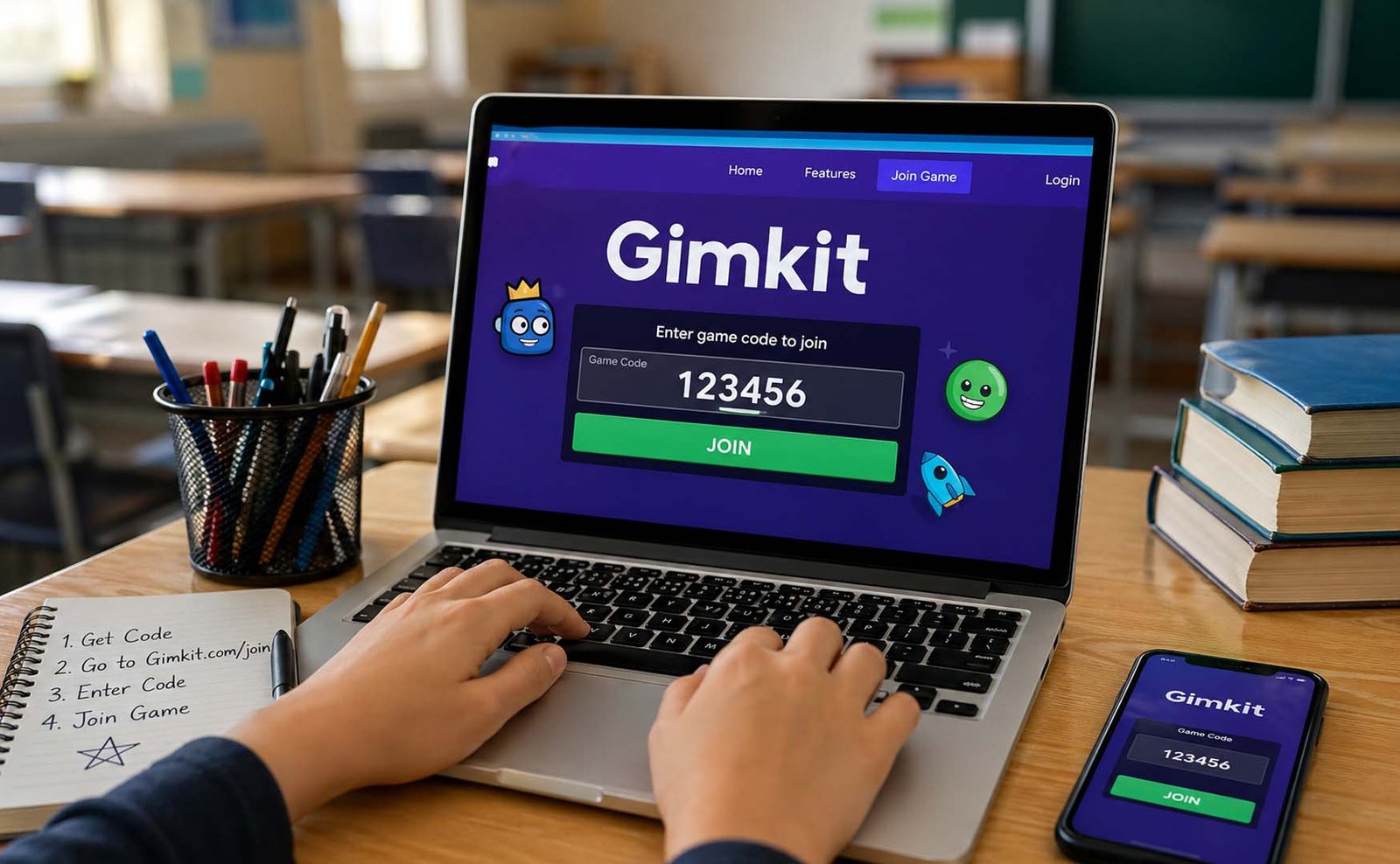
Joining a game using Gimkit codes is very easy. First, you need to go to the official join page. This is where you enter the code given by your teacher.
Once you are on the page, you will see a box. This is where you type the code. Make sure you type it carefully. Even a small mistake can stop you from joining.
After entering the code, you will be asked to choose a nickname. This can be your name or a fun name. Some teachers may use a name generator for safety.
Once done, you will enter the game lobby. This is like a waiting room. You stay there until the teacher starts the game. Then the fun begins.
Other Easy Ways to Join (No Typing Needed)
Sometimes, typing Gimkit codes is not needed. There are easier ways to join a game. These methods save time and help avoid typing mistakes.
One common method is using a QR code. The teacher shows a QR code, and you scan it with your phone. It takes you directly to the game without typing anything.
Another easy way is using a direct link. The teacher may send a link. You just click it, and you enter the game instantly. This is very helpful for quick joining.
These methods are great for younger students or when time is short. They make joining faster and smoother without any confusion.
Who Creates Gimkit Codes? (Simple Explanation)
Now you might wonder, who makes these Gimkit codes? The answer is simple. The code is created by the host. The host is usually your teacher.
The host sets up the game. They choose questions, game mode, and settings. Once everything is ready, they start the game, and the code is created automatically.
The host also controls the game. They decide when to start and stop. They can remove players if needed. They can also manage names and settings during the game.
So in simple words, the host is the one who runs the game. And Gimkit codes are created by the system when the host starts the session.
Can You Find Gimkit Codes Online?
This is where many people get confused. You may see websites saying they have “working Gimkit codes.” But the truth is different.
Most of the time, you cannot find real working codes online. This is because codes are private. They are made for one class or one group only.
If random people could join, it would create problems. Games would become messy and not useful for learning. That’s why codes are kept limited and temporary.
Some people share codes in communities or live streams. But even those codes stop working quickly. So it is always best to get the code directly from your teacher or host.
Easy Ways to Get Active Gimkit Codes
Now let’s talk about how you can actually get Gimkit codes in real life. The easiest and safest way is to ask your teacher or the person hosting the game. They create the code, so they always have the correct one.
Teachers often share codes in class, on boards, or in apps like Google Classroom. Sometimes they also send it in chat groups or emails. So always check where your teacher usually shares updates.
You can also get codes from your friends or classmates. If someone is already in the game, they may share the code with you. This works well in study groups or school chats.
Some people try to find Gimkit codes on social media, Discord, or Reddit. Sometimes you may find live games there, but be careful. Many codes are old or fake, so they may not work.
Why Gimkit Codes Stop Working
Many students ask, “Why is my code not working?” The answer is simple. Most Gimkit codes stop working after the game ends. They are made for one session only.
If the teacher ends the game, the code becomes useless right away. Even if you type it correctly, it will not work anymore. This is normal and helps keep games private.
Another reason is typing mistakes. These codes are short, but even one wrong letter can stop you. Always check carefully before clicking join.
Sometimes the game is already full. Many games allow a limited number of players. If the limit is reached, new players cannot join even with the correct code.
Common Problems and Simple Fixes
Let’s look at some common issues with Gimkit codes and how to fix them easily. These problems happen often, but the solutions are simple.
If the code does not work, check your typing again. Make sure every letter and number is correct. This small step solves most problems quickly.
If the page is not loading, refresh your browser or restart your device. A slow internet connection can also cause issues, so try switching networks if possible.
If the game feels slow or stuck, try using a different device. Sometimes older phones or tablets may not run the game smoothly. A quick change can fix the problem.
Tips to Use Gimkit Codes Better
Using Gimkit codes is easy, but a few smart tips can make your experience even better. These tips help you join faster and avoid small mistakes.
Always be ready before the teacher shares the code. Open the join page early so you can enter the code quickly. This helps you avoid missing the game.
Double-check the code before pressing enter. Many students rush and make small errors. Taking one extra second can save time and stress.
If possible, use QR codes or direct links. These methods are faster and remove the chance of typing mistakes. They are perfect for quick joining.
Safety Tips You Should Not Ignore
While using Gimkit codes, safety is very important. Many websites claim to give free or unlimited codes, but most of them are not safe.
Avoid clicking on sites that promise “Gimkit code generators” or cheat tools. These are often fake and may harm your device or steal your data.
Never download unknown apps or extensions related to Gimkit. The official platform already gives everything you need. Extra tools are not required.
Always use the official Gimkit website. This keeps your experience safe and smooth. Following these simple steps helps you enjoy the game without any risk.
Why Students Love Gimkit Codes
Students really enjoy using Gimkit codes, and there are many reasons for this. The biggest reason is how easy and fast it is to join a game.
You do not need to create an account. You just enter the code, choose a name, and start playing. This saves time and makes things simple.
Another reason is fun. Instead of boring questions, students play games, earn points, and compete with friends. This makes learning feel exciting.
It also works on many devices like phones, tablets, and laptops. This flexibility makes it easy for everyone to join from anywhere.
Extra Tips for Teachers and Hosts
If you are a teacher or host, using Gimkit codes properly can make your game much better. Small changes can improve the whole experience.
Start your game with easy questions. This helps students feel comfortable and ready. It also removes fear at the beginning of the session.
Use images, videos, or fun examples in your questions. This keeps students interested and helps them understand better.
Set a time limit for your game. This creates excitement and keeps everyone focused. Also, give feedback after the game to help students improve.
Final Thoughts
Now you fully understand how Gimkit codes work. They may look simple, but they play a very big role in making learning fun and easy.
These codes help students join games quickly without any stress. They also keep the classroom safe and organized by allowing only the right players.
If you follow the steps and tips shared in this guide, you will never feel confused again. You will be able to join any game fast and enjoy the experience.
So next time your teacher shares a code, you already know what to do. Just enter it, join the game, and enjoy learning in a fun way
(FAQs)
Can I reuse a Gimkit code?
No, you cannot reuse it. Each code works for one game only. After the game ends, the code stops working and cannot be used again.
Do I need an account to use Gimkit codes?
No, you do not need an account. You can join a game by just entering the code and choosing a nickname.
How long do Gimkit codes stay active?
Most codes stay active only while the game is running. Once the host ends the game, the code expires immediately.
Can I find working Gimkit codes online anytime?
Not really. Most codes are private and made for classes. Some public codes exist, but they stop working very fast.
How many characters are in a Gimkit code?
Usually, a code has 5 to 6 characters. It can include both letters and numbers.
What should I do if my code is not working?
Check your typing, refresh the page, and make sure the game is still active. These steps solve most problems.
Don’t miss these:
Samsung Galaxy S9 Cardholder Cases: The Easy Way to Carry Phone and Cards Together
TikTok Story Viewer Explained: Easy Ways to Stay Private in 2026





 Biography6 months ago
 News6 months ago
 Blog3 months ago
 Biography6 months ago